01
Give the idea a home.
Bring your caption, JPEG photo, or MP4 video into one place. Preview your content before it goes out.
WRITE · UPLOAD · PREVIEW
What’s all the buzz?
Bring Facebook, Instagram, YouTube Shorts, TikTok, and LinkedIn Pages into one shared calendar. Upload your content, find its moment, and keep your team in sync.
Get in on the buzz. Join the waitlist for our invitation-only pilot.
Already invited? Member sign in
Create once.
Schedule everywhere.
 Facebook Page
 Instagram
 YouTube Shorts
 TikTok
 LinkedIn Page
FIVE PLATFORMS. ONE SCHEDULE.
THE BASICS, TOGETHER
Prepare your content, choose when
it goes out, and follow each result.
Bring your caption, JPEG photo, or MP4 video into one place. Preview your content before it goes out.
WRITE · UPLOAD · PREVIEWSelect the connected accounts for each post. Use the same video across channels, with the publishing options each platform needs.
FIVE PLATFORMS · YOUR ACCOUNTSPick a date, add to your queue, or set a repeating schedule. Publishing runs in the background, with a separate result for each destination.
DATES · QUEUE · REPEATSA RHYTHM THAT FITS
Your content, your schedule,
and your team in one place.
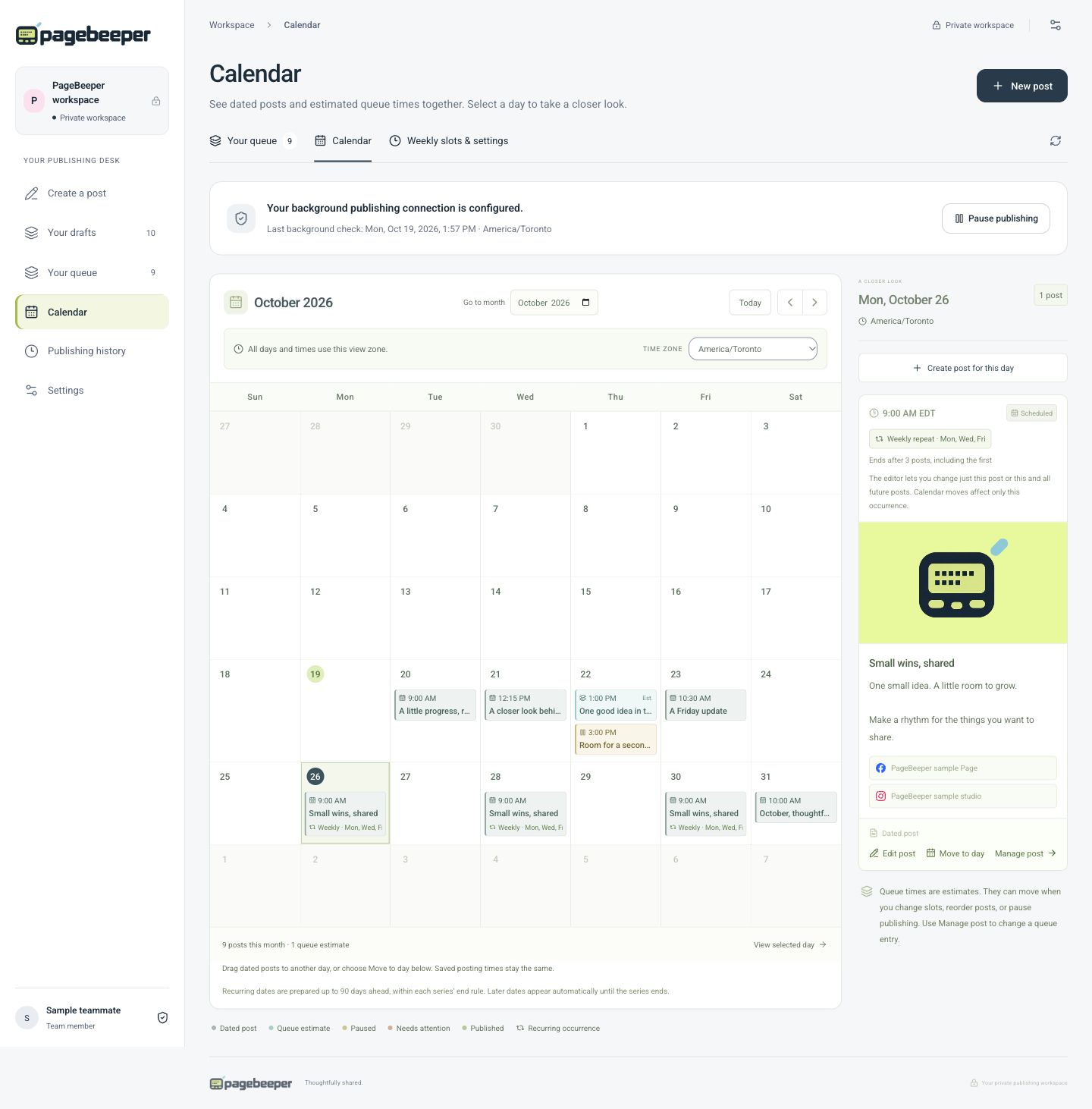
See upcoming posts on the calendar. Click a day to start a post, or drag a scheduled post to another day when plans change.
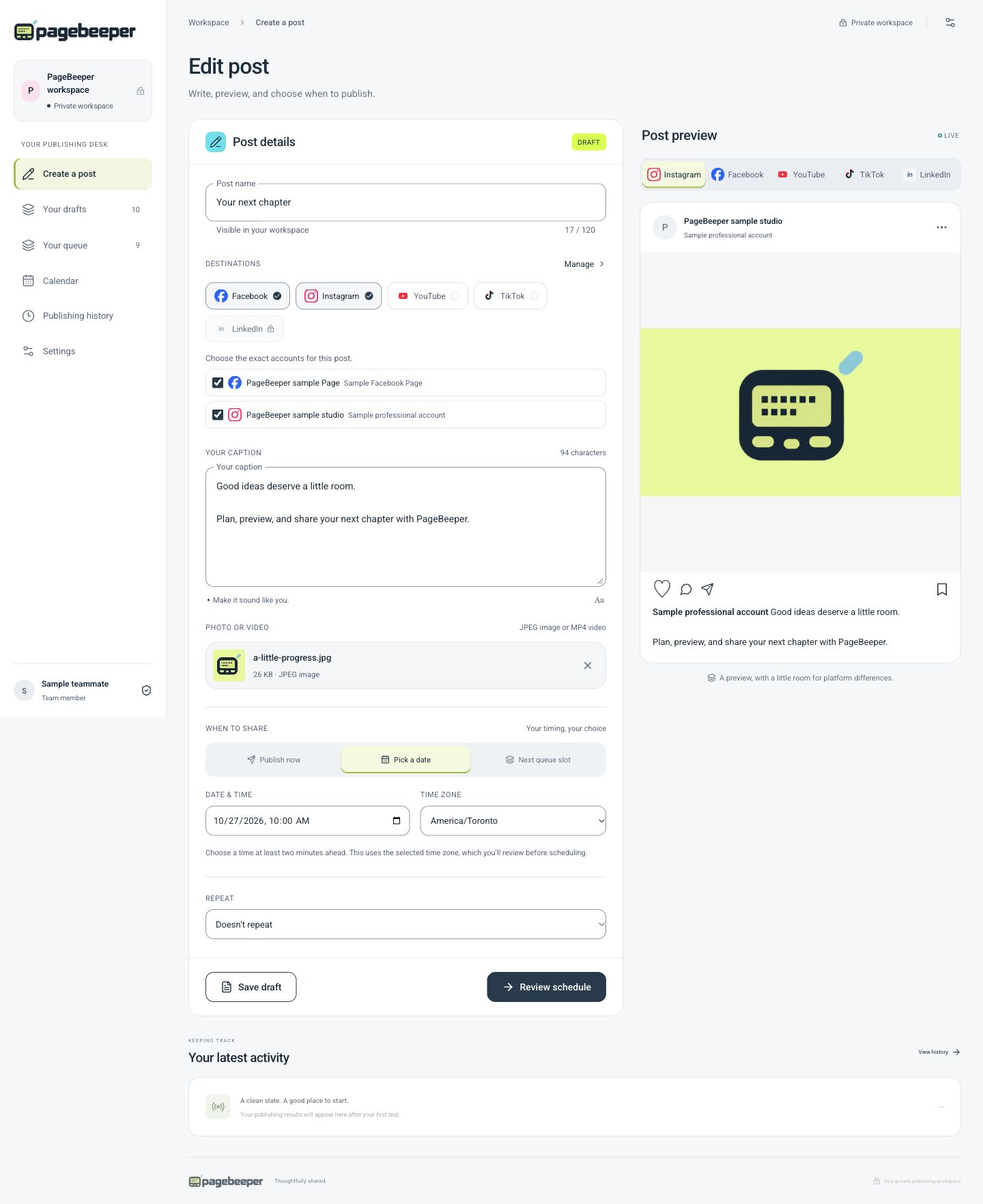
Change the content, media, accounts, date, and time in one editor. Save your changes while keeping the post scheduled.
Repeat every two weeks on selected weekdays, or every three months. Set an end date or total planned posts, pause or stop a series, and edit one post or all future repeats.
Duplicate a post for a new date, or add fresh content to a queue. Your weekly time slots take the next queued post, one at a time.
Invite teammates by email to a shared calendar and queue. Connect social accounts together, and manage or disconnect them in Settings.
See which posts are processing, complete, or need attention. Check each account’s result and open the post when a link is available.
Calendar dates start publishing in your saved time zone. Queue times are estimates; platform processing can take a little longer.
YOUR CHANNELS, CONNECTED
Connect the accounts you manage, then choose where each post belongs. Facebook Pages and LinkedIn company Pages support text, photos, and video. Instagram supports photos and Reels; YouTube Shorts and TikTok are video destinations.
PageBeeper is currently invitation-only. Account eligibility and platform permissions apply; connections must be completed before publishing.
Join the waitlistText, JPEG photos, and MP4 videos
JPEG photos and MP4 Reels for professional accounts linked to a Facebook Page
Square or vertical MP4, up to 3 minutes. Choose private, unlisted, or public; YouTube classifies Shorts.
Public MP4 videos via Zernio, with publishing consent and disclosure controls
Text, JPEG photos, and MP4 videos via Zernio
INSIDE YOUR WORKSPACE
A closer look at the calendar
and the post editor.
Spot a gap, see what’s next, and move upcoming posts when plans change.
Bring your caption, media, account choices, and preview together before you publish.
Actual PageBeeper screens with sample content. Select an image to view it at full size.